The platform

Train. Run. Understand. Manage.

One on-premise platform takes AI from the first labelled image to a managed fleet — four steps, four products, nothing in the cloud.

Train your own models Vision × LLM on-device 20+ built-in AI tasks Fleet & org management 100% on-premise

Step 1 · Train — ANSTS

Teach it anything, without code.

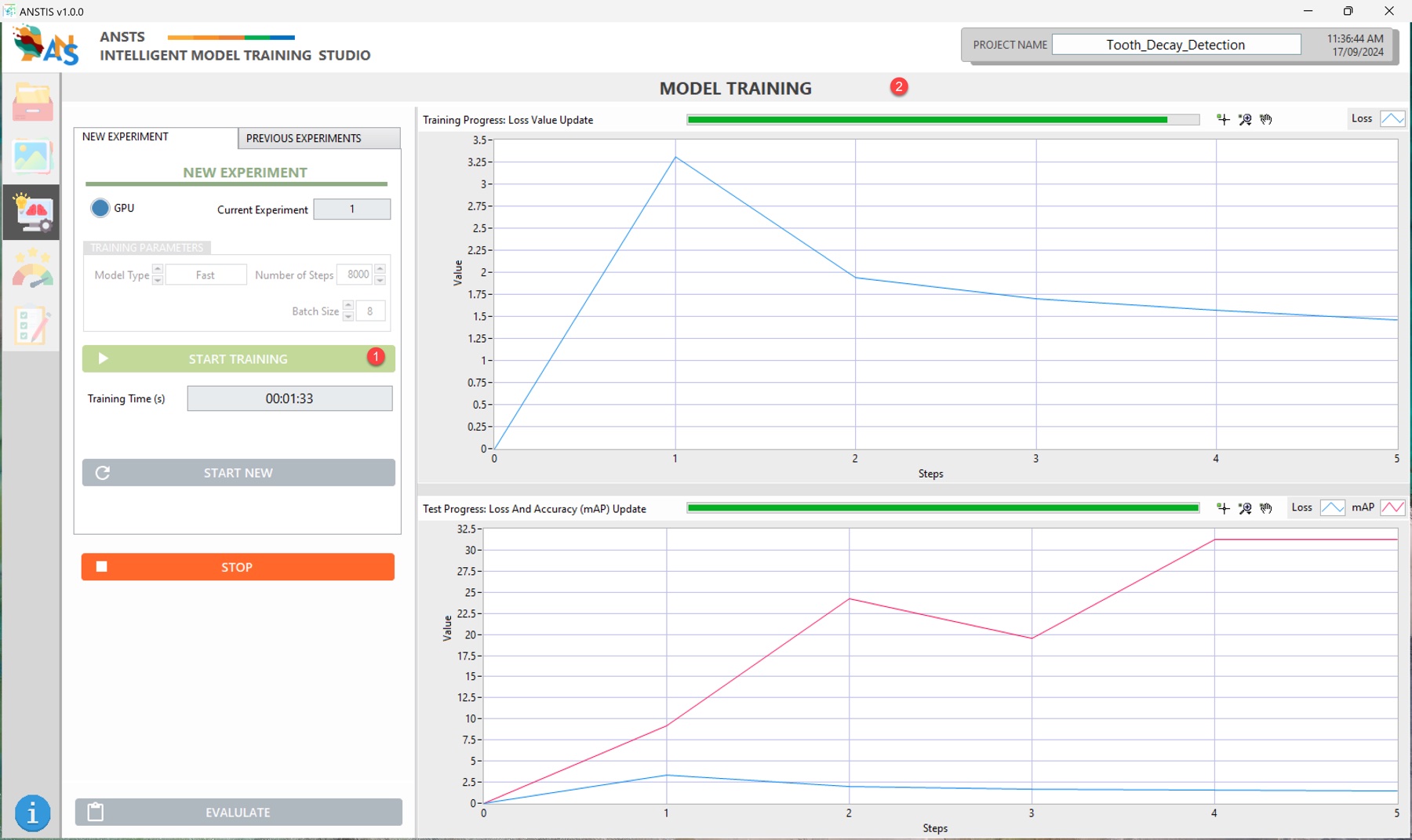
ANSTS is the training studio: label your images, press start, and watch loss and accuracy converge live. Detection, segmentation, oriented boxes — exported ready for the edge.

Explore ANSTS ›

ANSTS model training — live loss and accuracy charts for a tooth-decay detection experiment
Live training — loss falling, accuracy climbing, in real time.
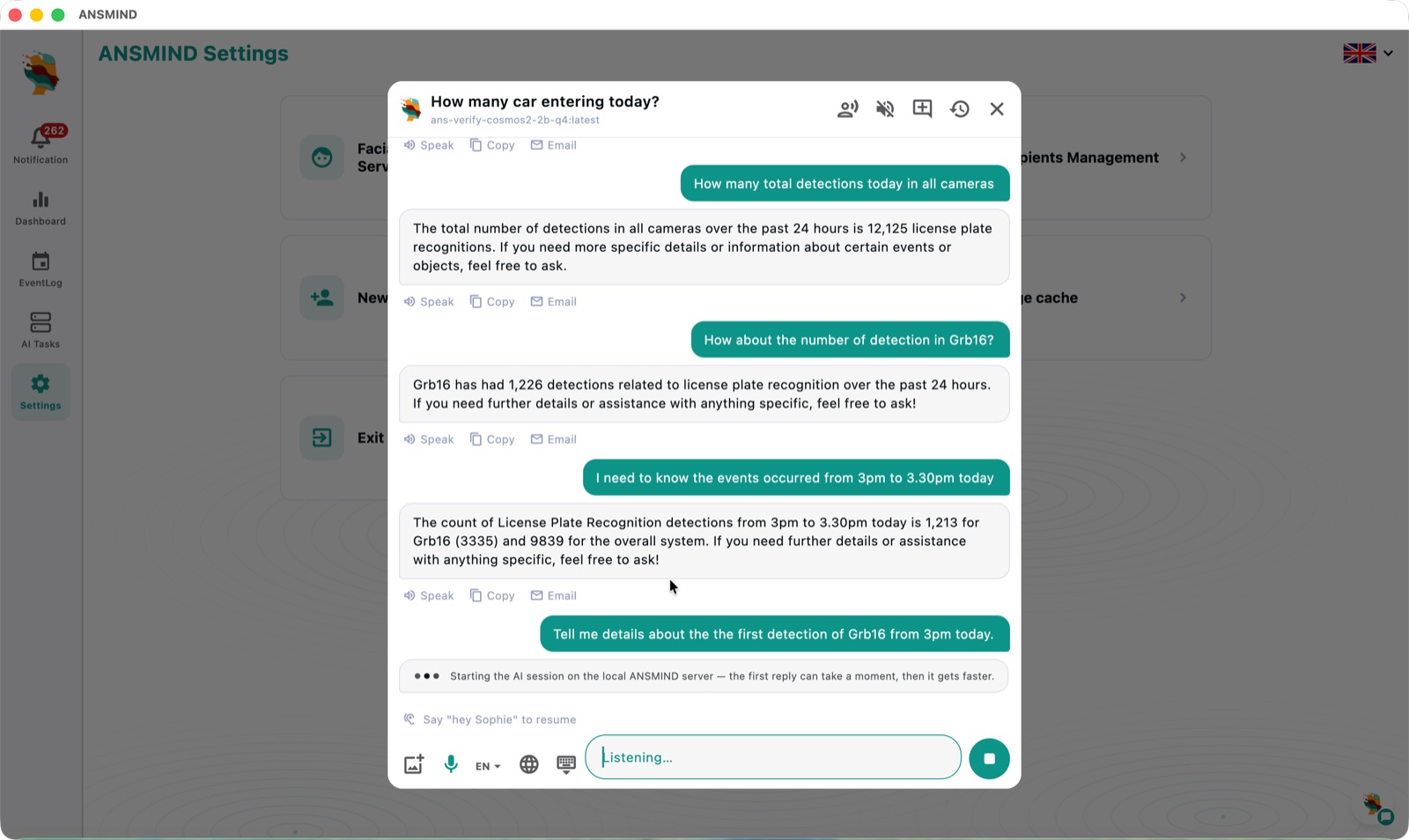
ANSMIND chat on ANSBOX answering questions about live camera detections, with voice control
Vision × LLM — ask the box about what its cameras see, by text or voice.

Step 2 · Run — ANSBOX + ANSMIND

One box runs it all.

ANSBOX is the on-prem device; ANSMIND is its AI operating system. Every vision task, a local LLM, and both fused — plus a catalogue of AI apps and an AI coder — with nothing leaving the site.

  • 16–32 cameras per box, works without internet
  • Local LLM with RAG over your docs and databases
  • AI apps: tutoring, chatbots, transcription, coding

Explore ANSBOX ›  ·  Explore ANSMIND ›

Step 3 · Understand — ANSVIS

Turn detections into decisions.

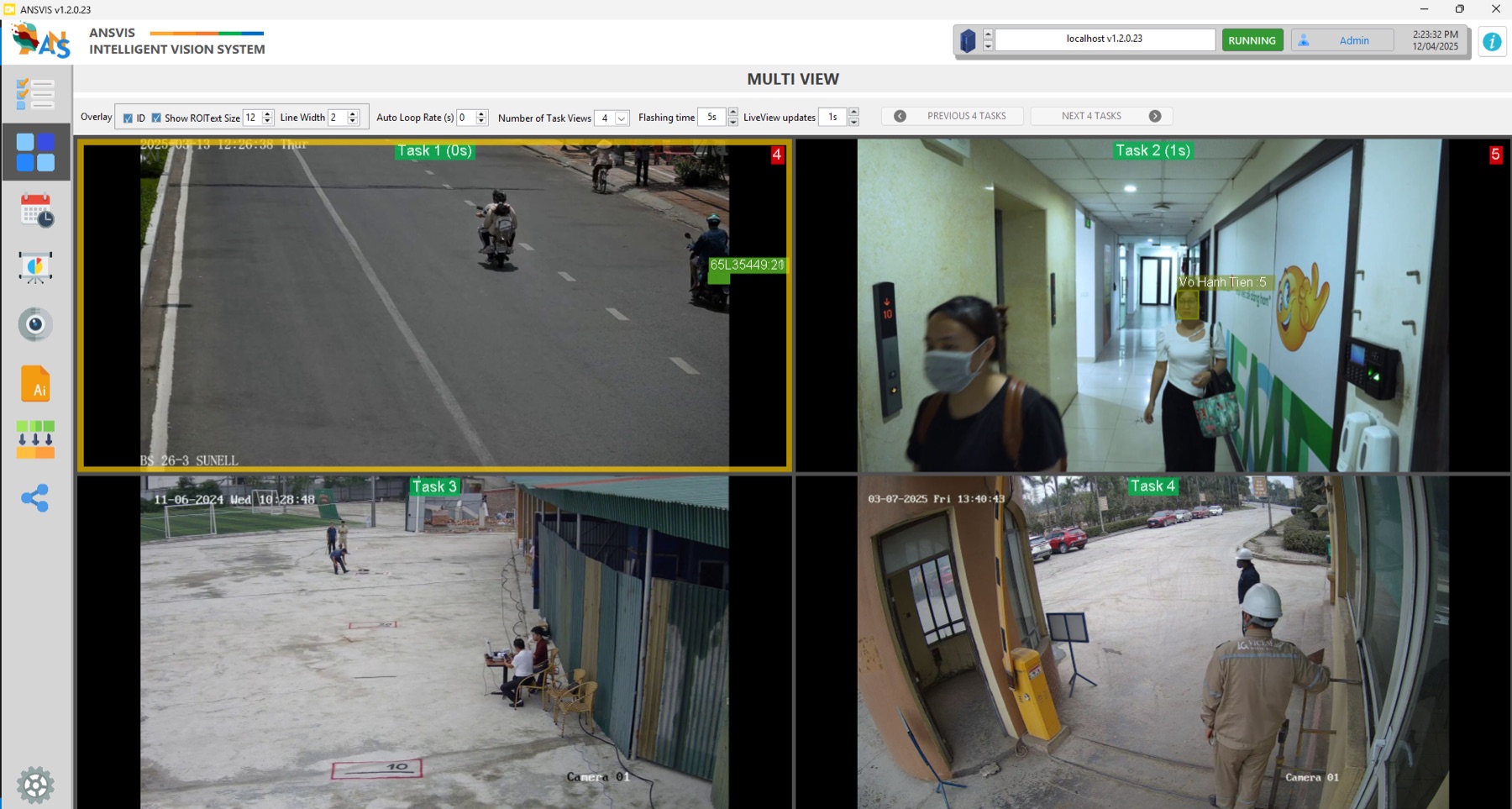
ANSVIS is the intelligent vision system: run many AI tasks across many cameras, draw zones and schedules, and trigger real actions — HTTP calls, loggers, alarms — the moment a rule fires.

Explore ANSVIS ›

ANSVIS multi-view — four AI tasks running at once: plate reading on a street, face recognition in a corridor, site monitoring and PPE checks
Multi view — plates, faces, sites and safety, four tasks live at once.
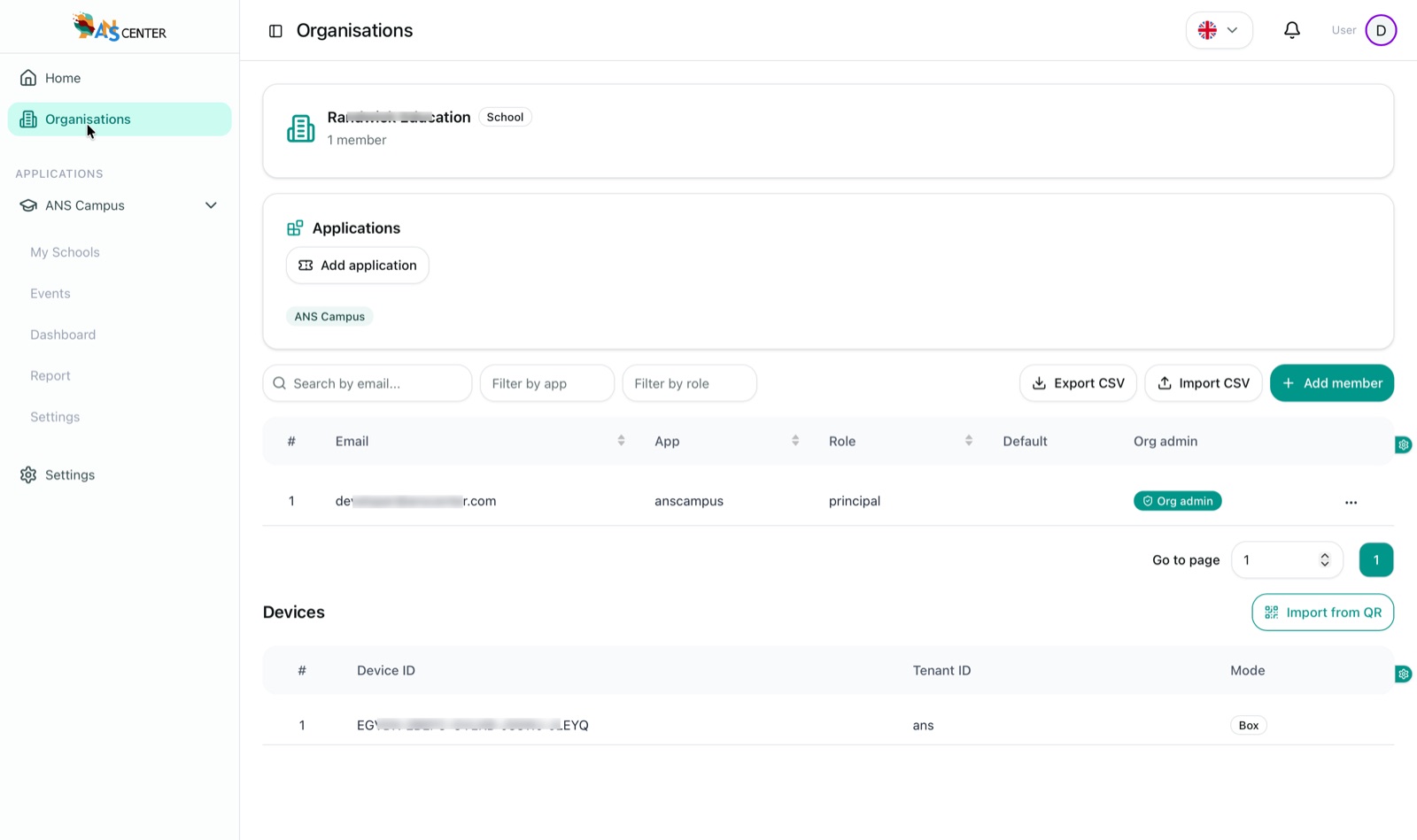
ANSCMS organisation view — applications, members with roles and assigned devices for a school organisation
One organisation, one view — apps, members and devices together.

Step 4 · Manage — ANSCMS

Govern every org, site, device and user.

ANSCMS is the centralised management console: create organisations, model their sites, assign ANSBOX/AIBOX devices, enable AI applications and give every person the right role.

  • Organisations & sites, modelled once
  • Devices assigned by QR, tracked live
  • Roles per app — principal, teacher, student, parent

Explore ANSCMS ›

See it running

The whole platform, in real screenshots.

From the training studio to the fleet map — every stop on the journey.

ANSTS model training with live loss and accuracy charts
Train · ANSTSNo-code training — pick a model type, press start, watch loss and mAP converge live.
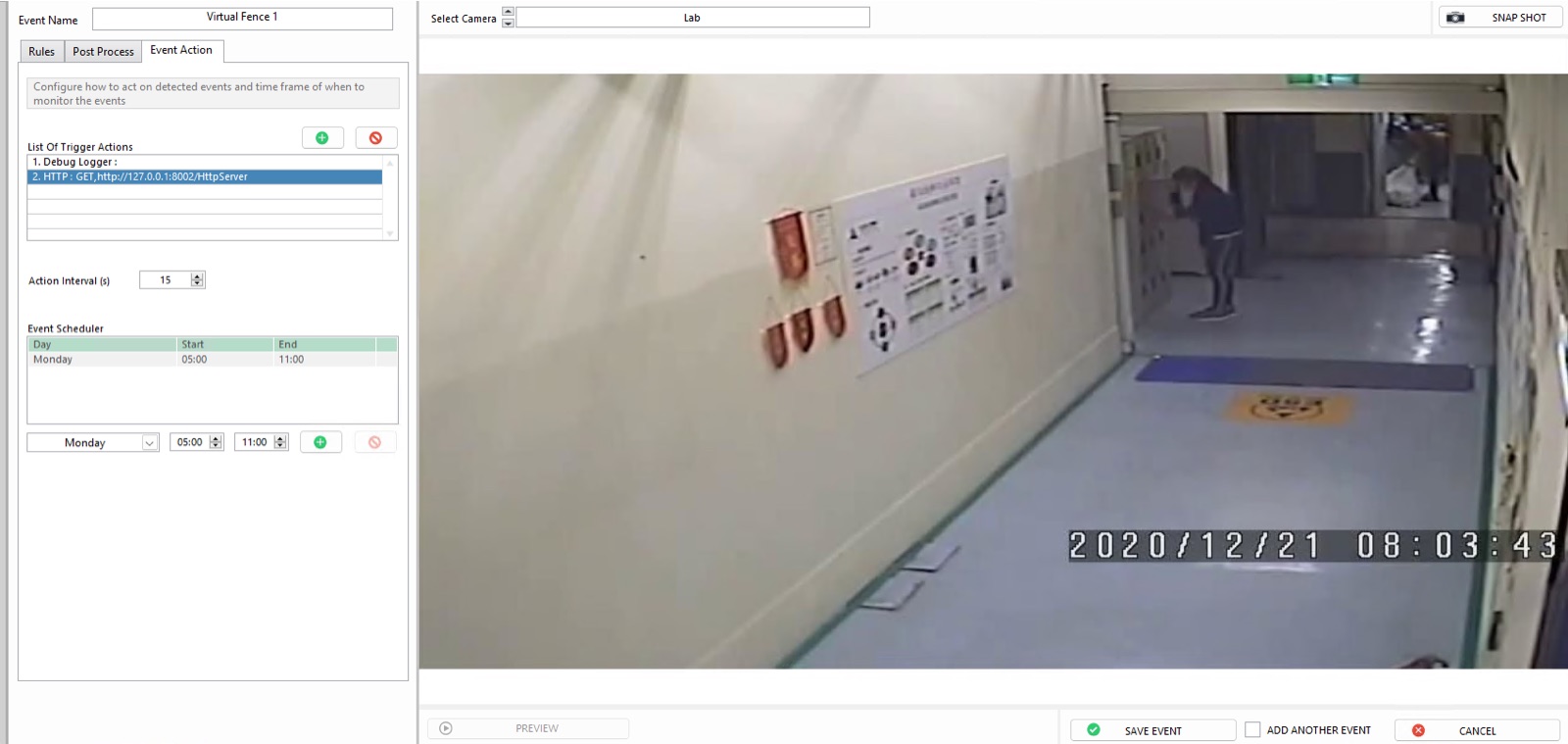
ANSVIS virtual fence event with trigger actions, action interval and a weekly schedule
Understand · ANSVISRules that act — a virtual fence with trigger actions and schedules, wired to any system.
ANSVIS multi-view running four AI tasks across different cameras at once
Understand · ANSVISMulti view — plates, faces, sites and safety running side by side in real time.
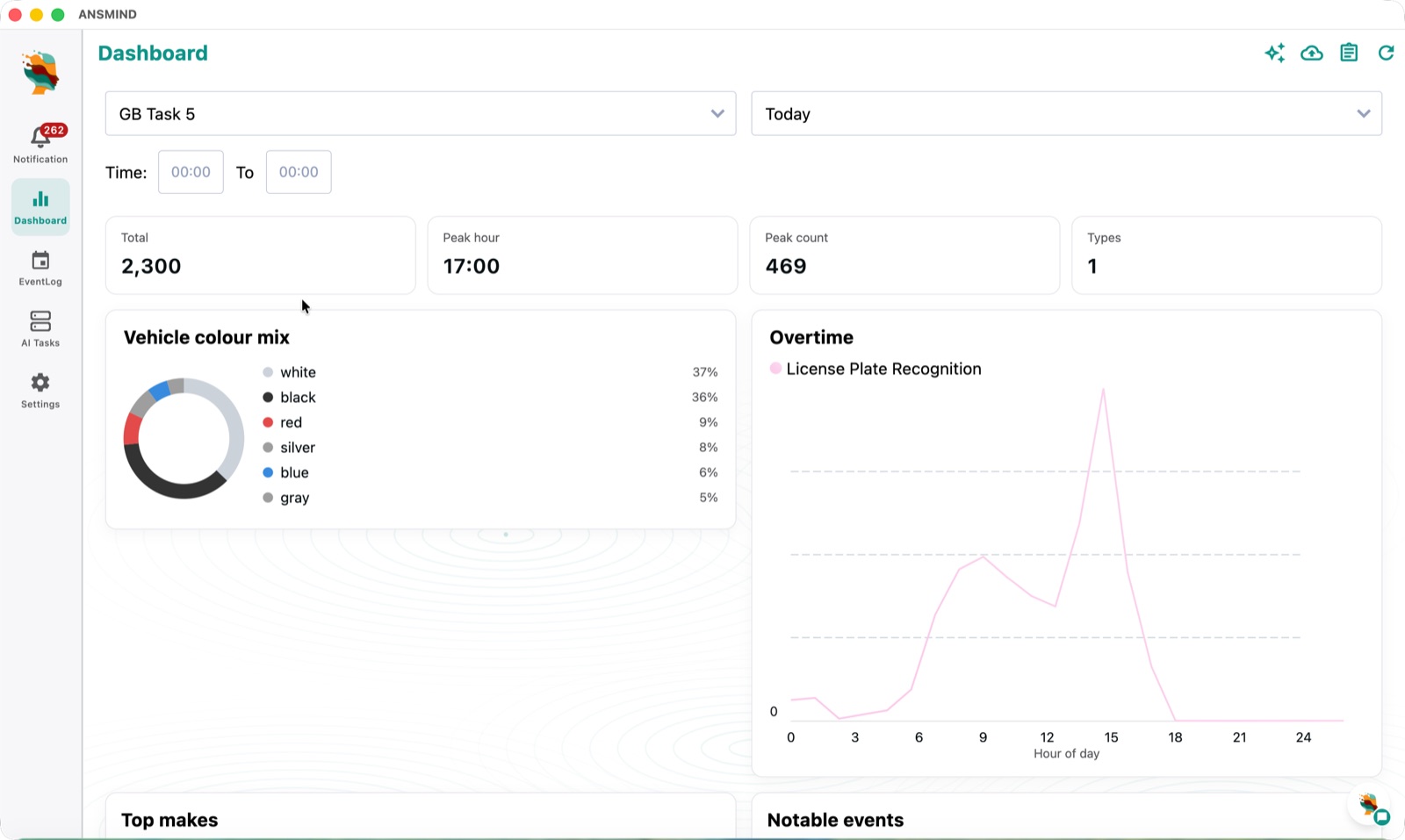
ANSMIND AI Vision dashboard with detection totals, peak hour and 24-hour curve
Run · ANSMIND OSThe AI OS dashboard — every detection, trend and task on the box, live.
ANSMIND chat answering camera questions with voice control
Run · ANSMIND OSAsk the cameras — vision fused with a local LLM; answers come from live data.
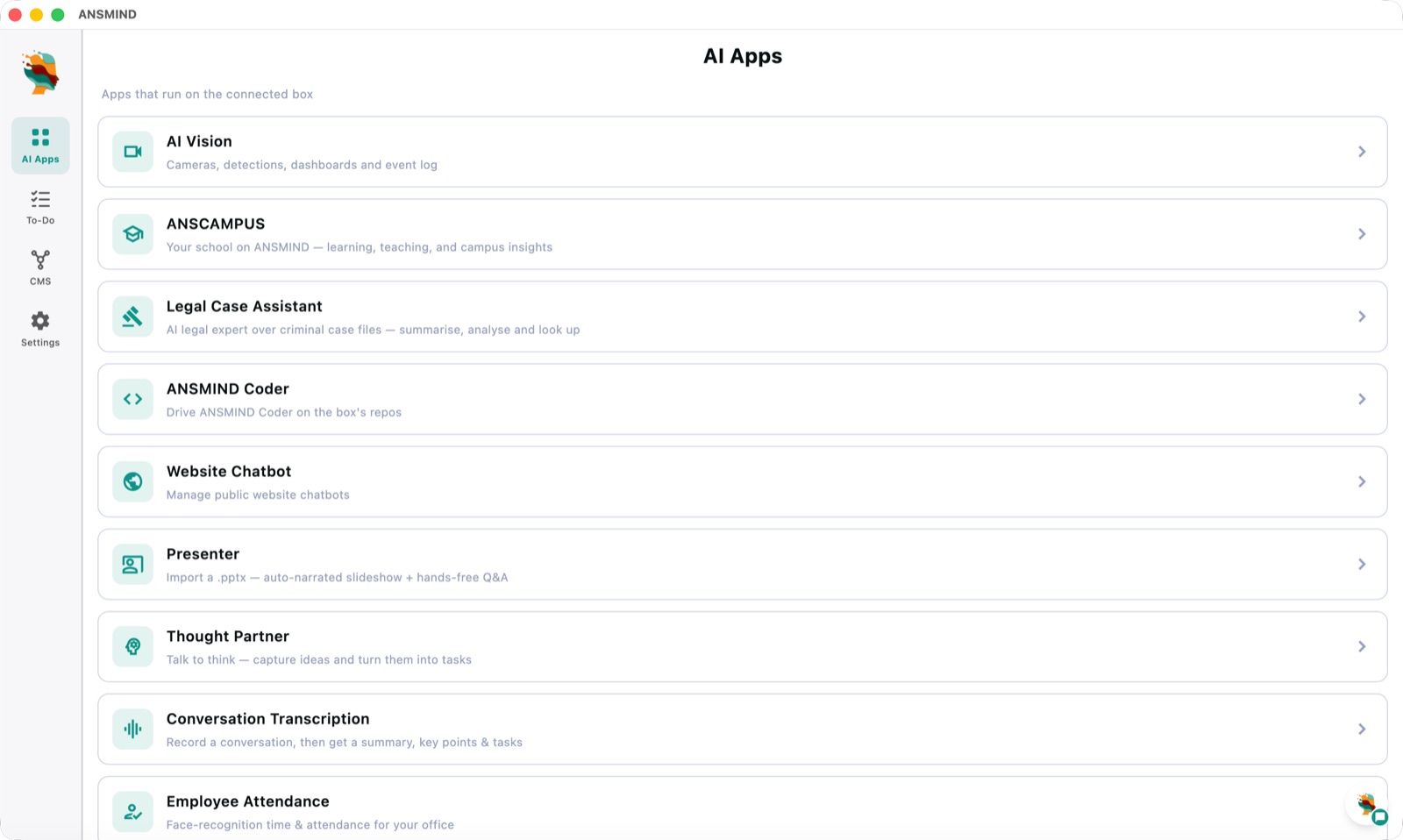
ANSMIND AI Apps catalogue — AI Vision, ANSCAMPUS, Legal Case Assistant, Coder, Website Chatbot, Presenter and more
Run · ANSMIND OSAI Apps catalogue — tutoring, legal analysis, chatbots, transcription and more on the same box.
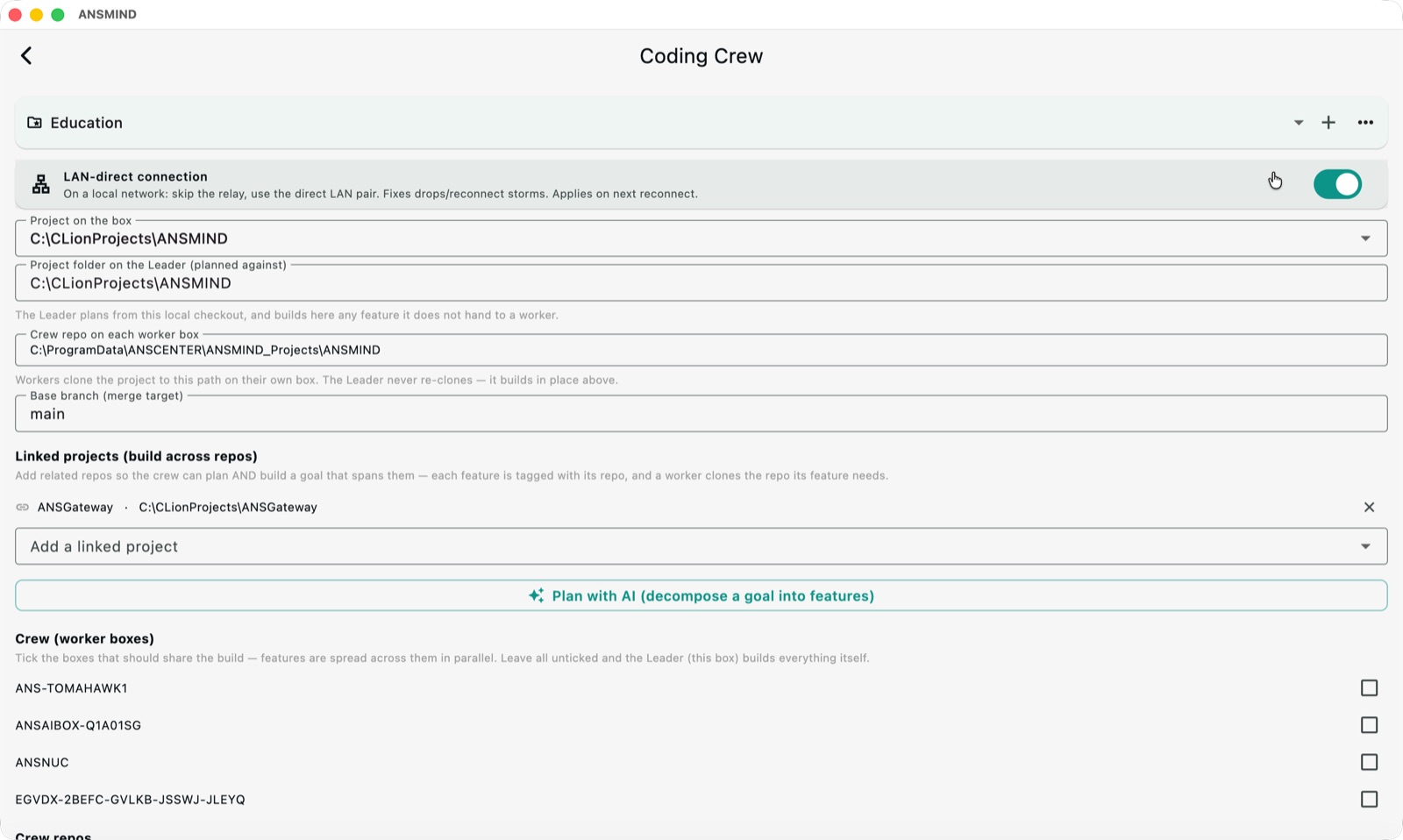
ANSMIND Coder crew configuration with worker boxes building features in parallel
Run · ANSMIND OSCoder crew — multiple ANSBOX devices building software features in parallel.
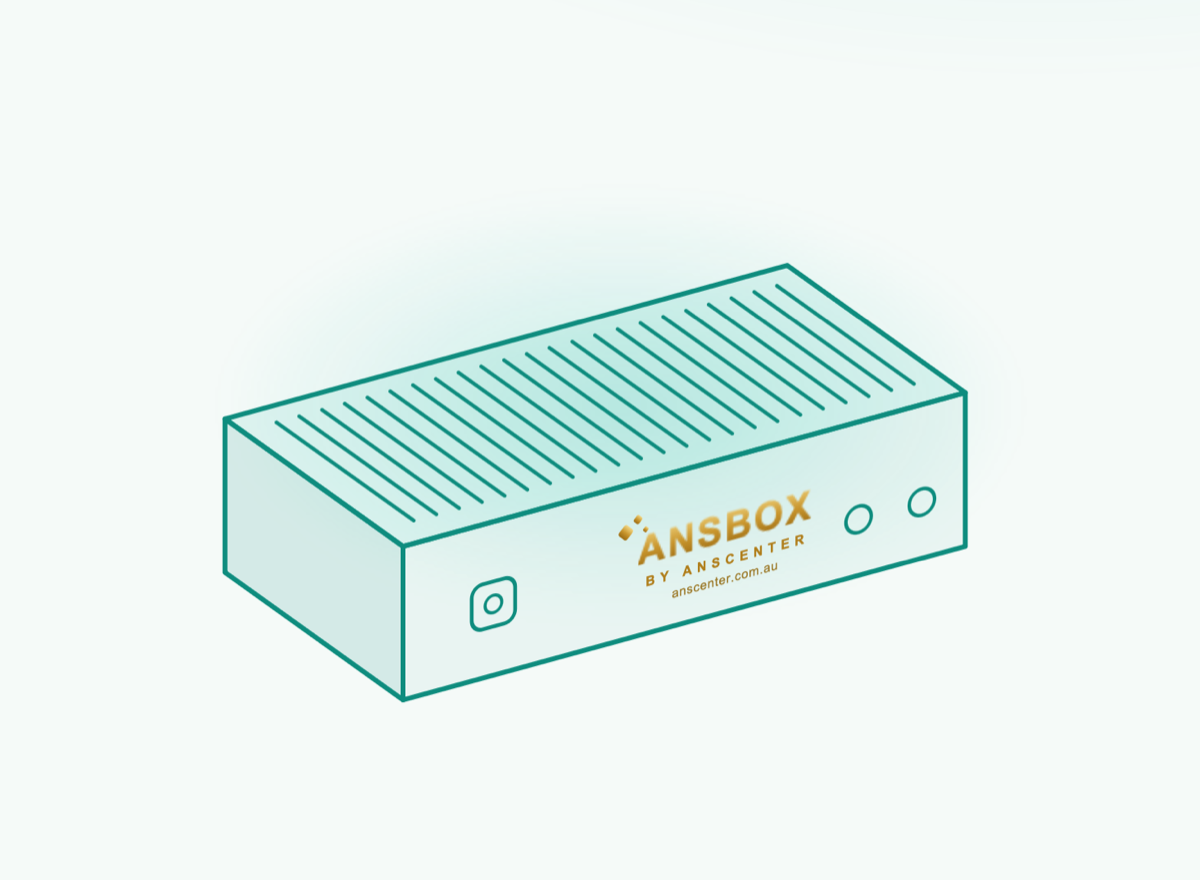
ANSBOX — fanless on-prem AI appliance
The hardwareANSBOX — the fanless on-prem device that carries the whole stack.
ANSCMS organisation with applications, members and devices
Manage · ANSCMSOrganisations — apps enabled, members with roles, devices assigned — per organisation.
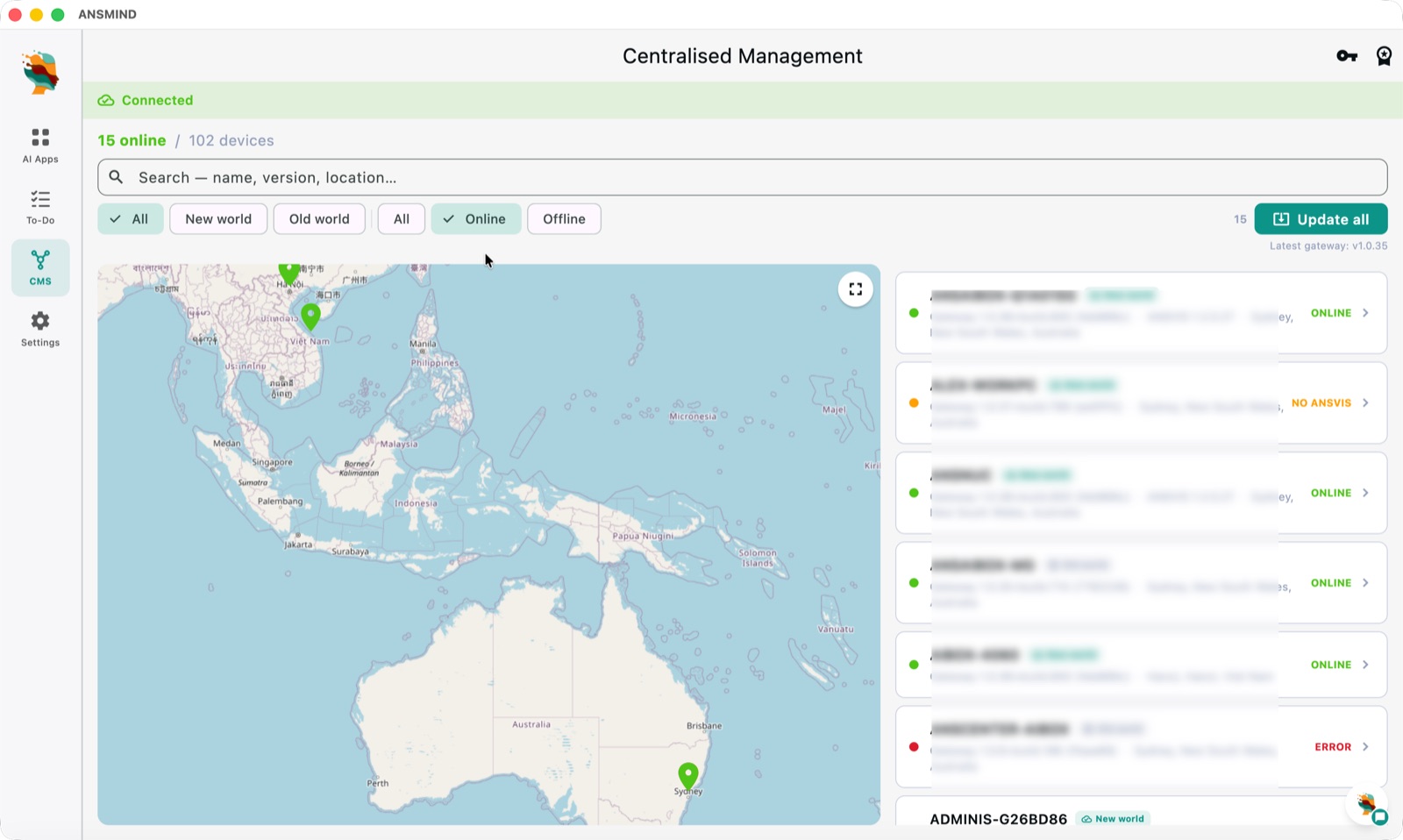
Centralised management map with 102 devices across countries and one-click update all
Manage · the fleetEvery box on one map — 102 devices across countries, live status, one-click updates.

Products

Six products. One system.

ANSMIND

AI OS

The AI operating system — vision fused with a local LLM, AI apps and crew coding, 100% on-device.

Explore ANSMIND ›

ANSBOX

Next-gen

The on-prem AI device that runs ANSMIND OS — any AI vision task, a local LLM, or both fused.

Explore ANSBOX ›

ANSVIS

Real-time AI video analytics — detect, apply smart rules and trigger any system, on-premise.

Explore ANSVIS ›

ANSTS

No-code training studio. Label, train and deploy custom models without writing code.

Explore ANSTS ›

ANSCMS

Centralised management for organisations — devices, AI apps, users and sites in one web console.

Explore ANSCMS ›

ANS LabVIEW Integration

Vision & LLM models inside NI LabVIEW — VI toolkits and ready-to-run examples for G developers.

Explore LabVIEW Integration ›

Private by design

The whole journey stays on your hardware.

Training data, video, language models and knowledge bases live on your own devices. The cloud only relays encrypted alerts and updates — no frames, no transcripts, no per-camera fees.

Pick by what you need

Start from the outcome, not the product.

I want plug-and-play on a site
ANSBOX + ANSMIND — hardware that ships ready, with vision, a local LLM and 20+ functions built in.
I want to talk to my cameras & data
ANSMIND — the Vision × LLM OS: chat, search and daily reports over everything the box sees.
I have cameras and servers already
ANSVIS — run analytics on your existing infrastructure at scale.
I need a custom model
ANSTS — label, train and deploy your own models, no code required.
I run many sites, devices and users
ANSCMS — one console for organisations, sites, devices, apps and roles.
I'm building in LabVIEW
ANS LabVIEW Integration — drop vision and LLM models into test & automation rigs natively.

Not sure where to start?

Tell us about the deployment and we'll recommend the right combination — and show it running on real hardware.