ANSCMS · Centralised Management

Your whole organisation, on one console.

ANSCMS is the web console where organisations manage everything they own on the ANSCENTER platform — ANSBOX and AIBOX devices, AI applications, users and their roles, and every site — from anywhere.
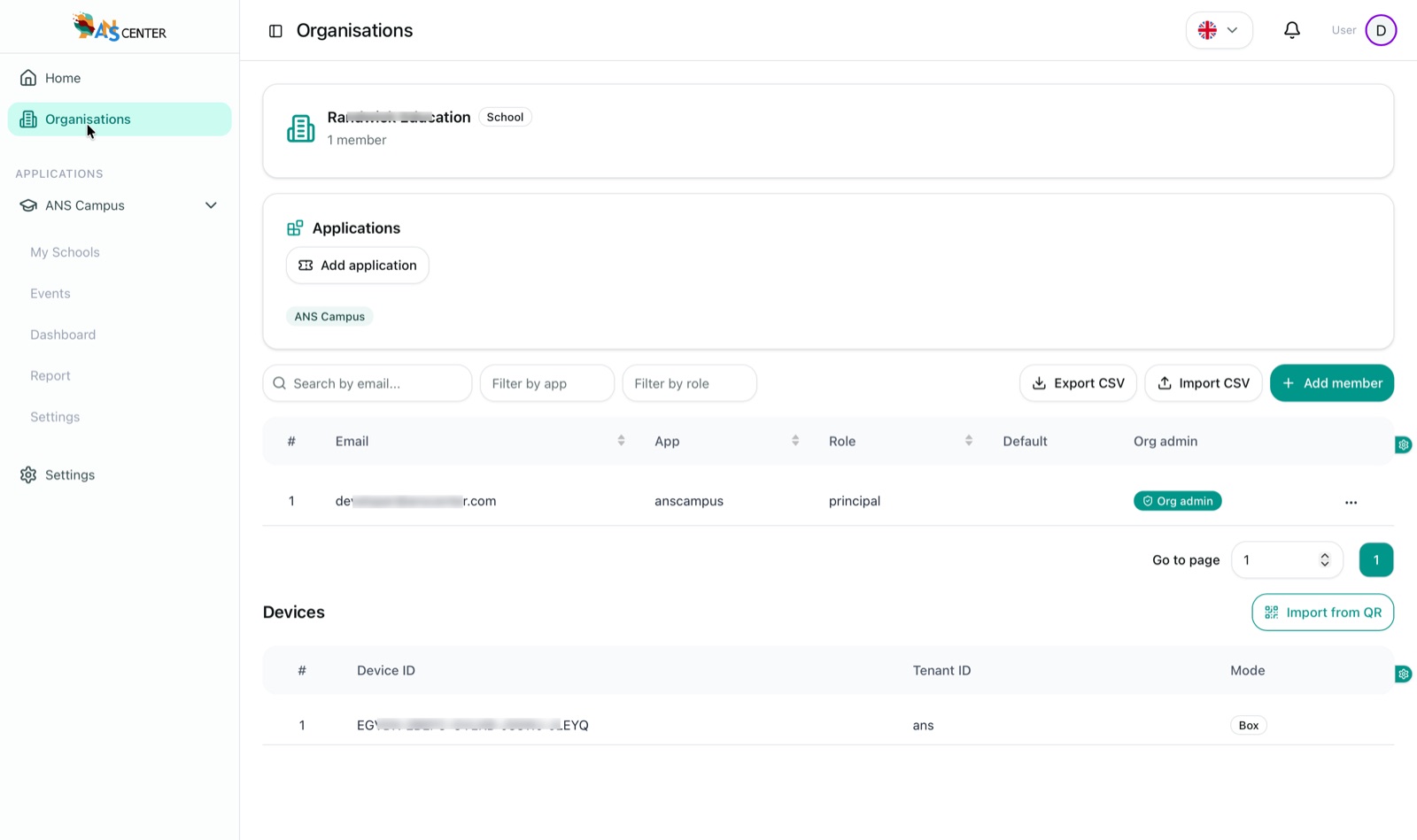
ANSCMS organisation view — a school organisation with the ANS Campus application enabled, a principal member and an assigned ANSBOX device
One organisation, one view — its applications, members and devices together.
Organisations & sites ANSBOX / AIBOX devices AI applications Users & roles Web-based, anywhere

What you manage

Four resources. One place.

Everything an organisation owns on the platform, administered from a single web console.

Organisations & sites

Create an organisation — a school, a clinic, anything — and model every site it owns, each with its own devices and members.

Devices

Assign ANSBOX and AIBOX devices to organisations and sites — import from QR, run in box or cloud mode, and track each one.

AI applications

Enable apps like ANSCAMPUS or Legal Case Assistant per organisation, and generate app codes for controlled activation.

Users & roles

Invite members by email with a role per app — principal, teacher, student, parent — plus org-admin rights where needed.

From zero to running

Set up an organisation in five steps.

1

Create the organisation

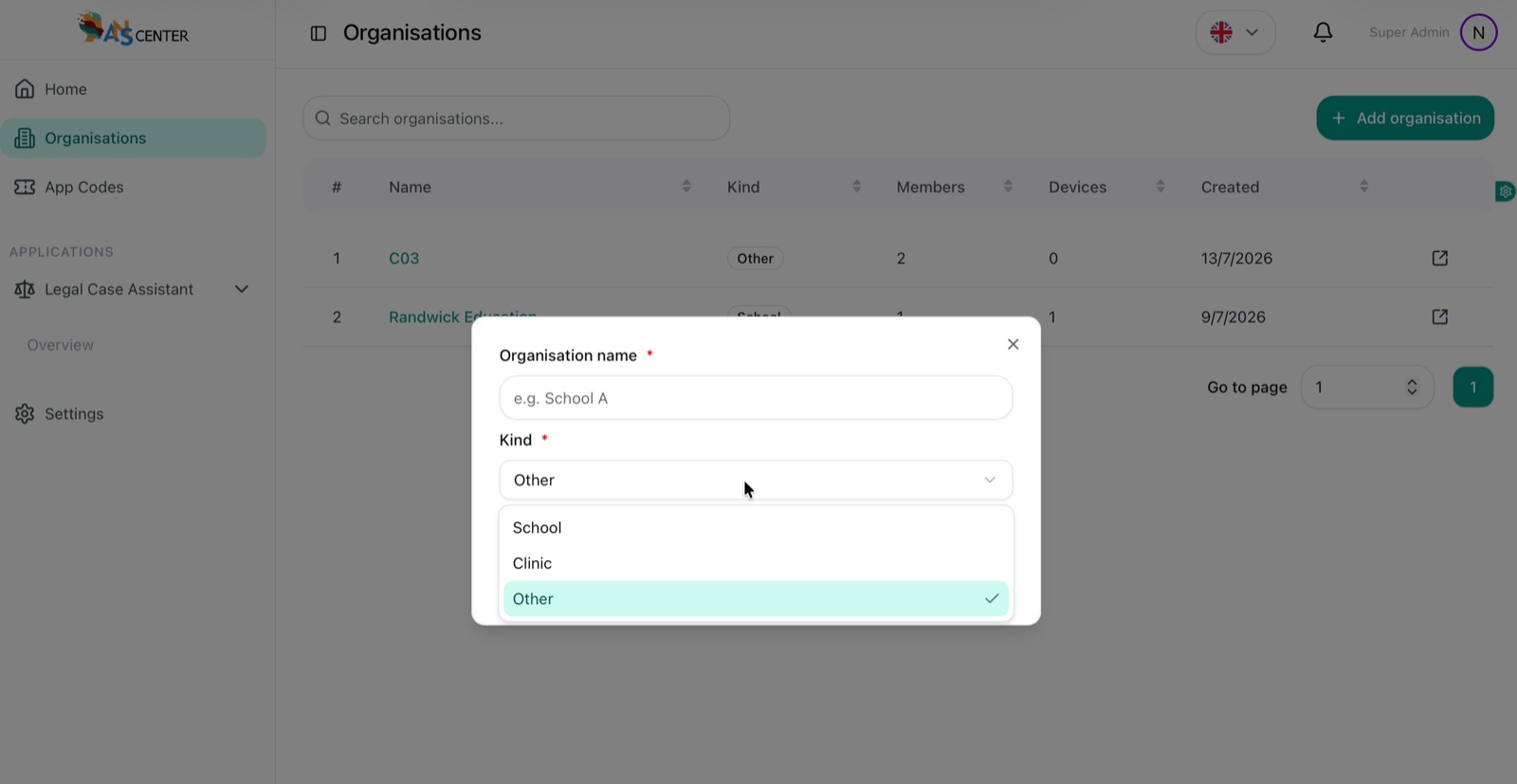
Name it and pick a kind — school, clinic or other.

2

Add sites

Each campus, branch or building, with its address.

3

Assign devices

Scan a QR to bring each ANSBOX / AIBOX under the site.

4

Enable apps

Turn on the AI applications the organisation uses.

5

Invite members

Add users with app roles — one by one or by CSV.

The console

Every resource, a tab away.

Real screenshots from ANSCMS — organisations, sites, devices, apps and members.
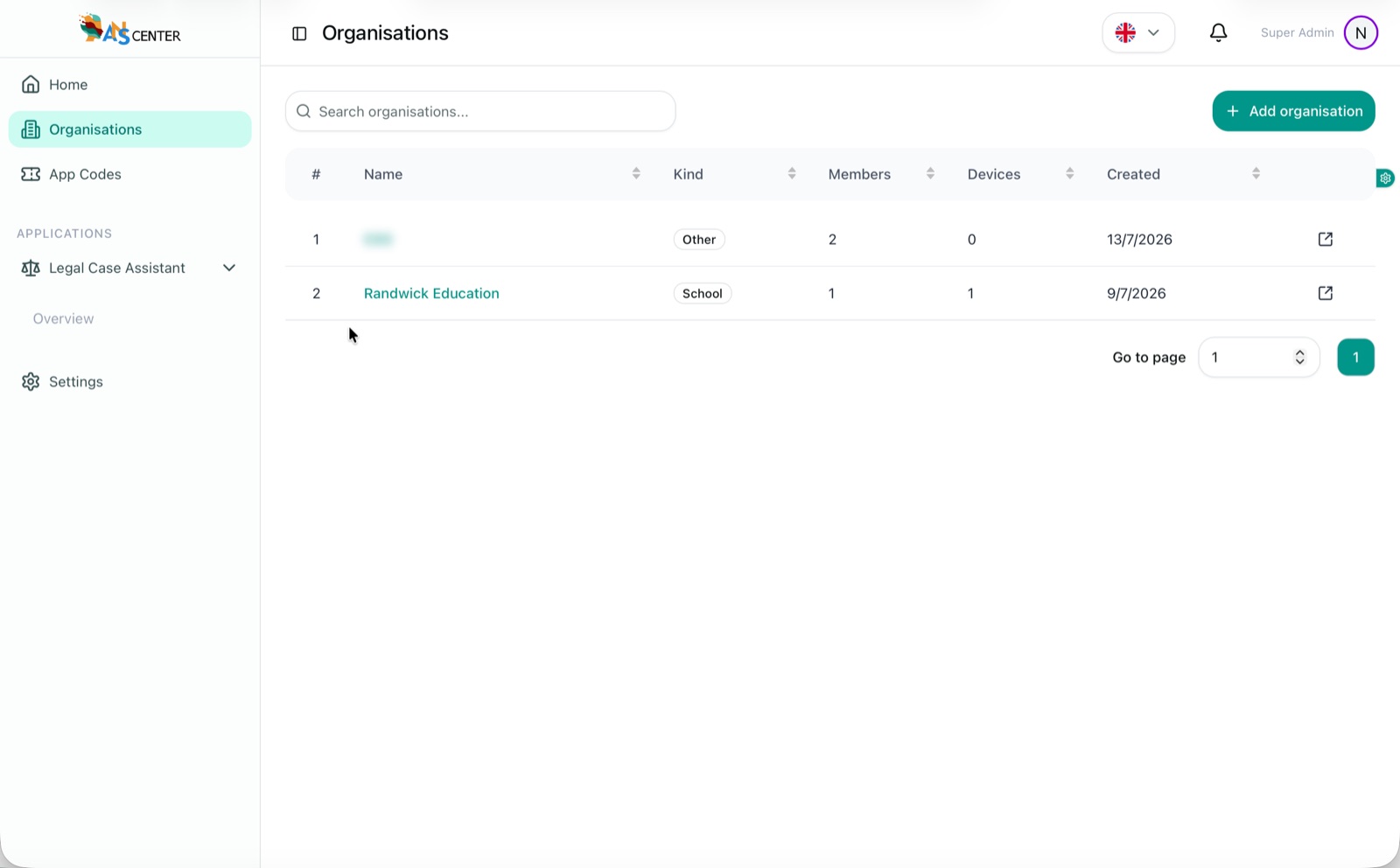
Organisations list in ANSCMS with kind, member count, device count and created date for each organisation
OrganisationsAll your organisations — kind, members, devices and creation date at a glance, with search and one-click drill-down.
Create organisation dialog with a name field and kind selector offering School, Clinic and Other
OrganisationsCreate in seconds — name it, pick a kind (school, clinic, other) and the organisation is live.
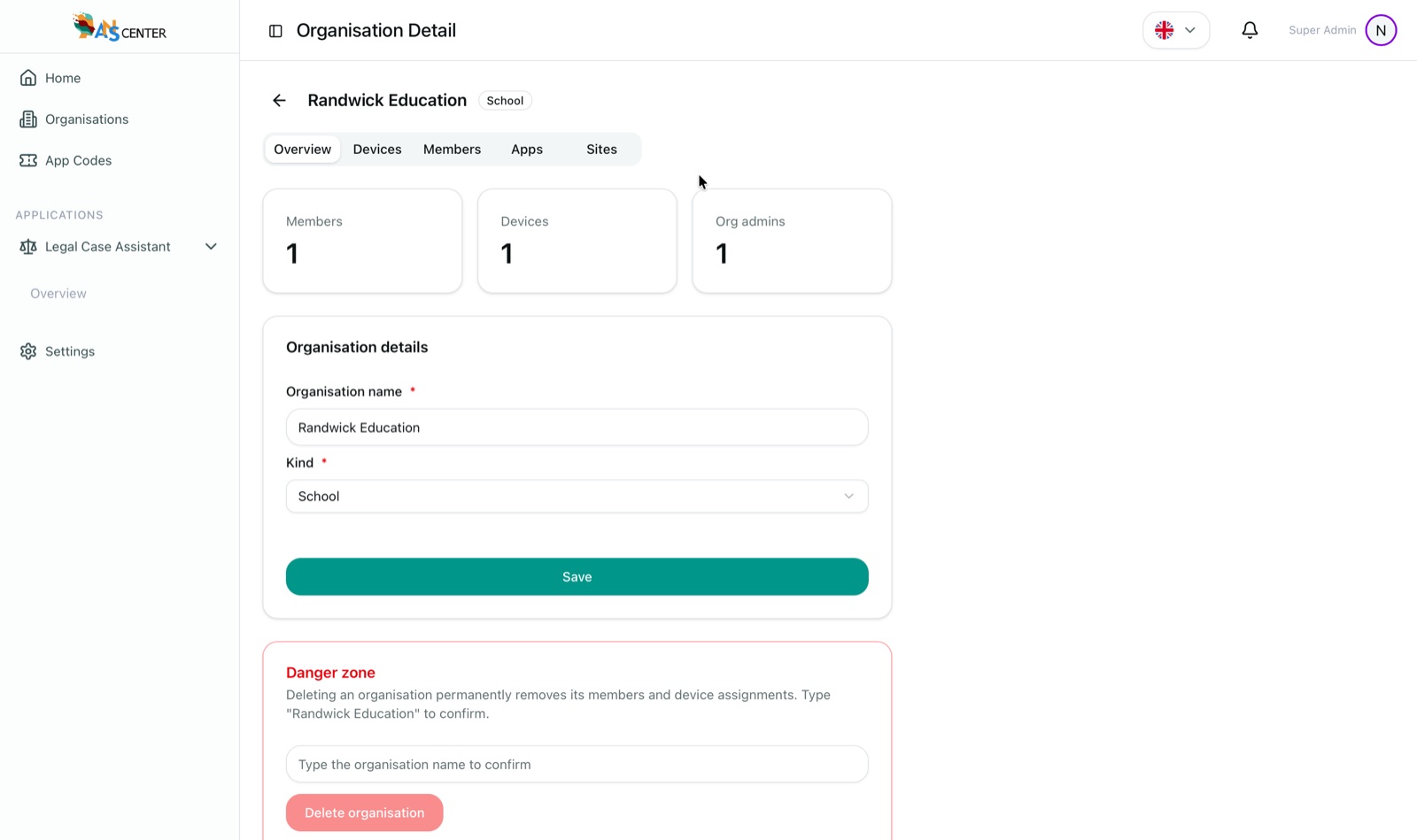
Organisation detail overview tab showing member, device and org-admin counts, editable details and a guarded danger zone
OrganisationsOrganisation detail — members, devices and admins up top; tabs for every resource; deletion guarded by a type-to-confirm danger zone.
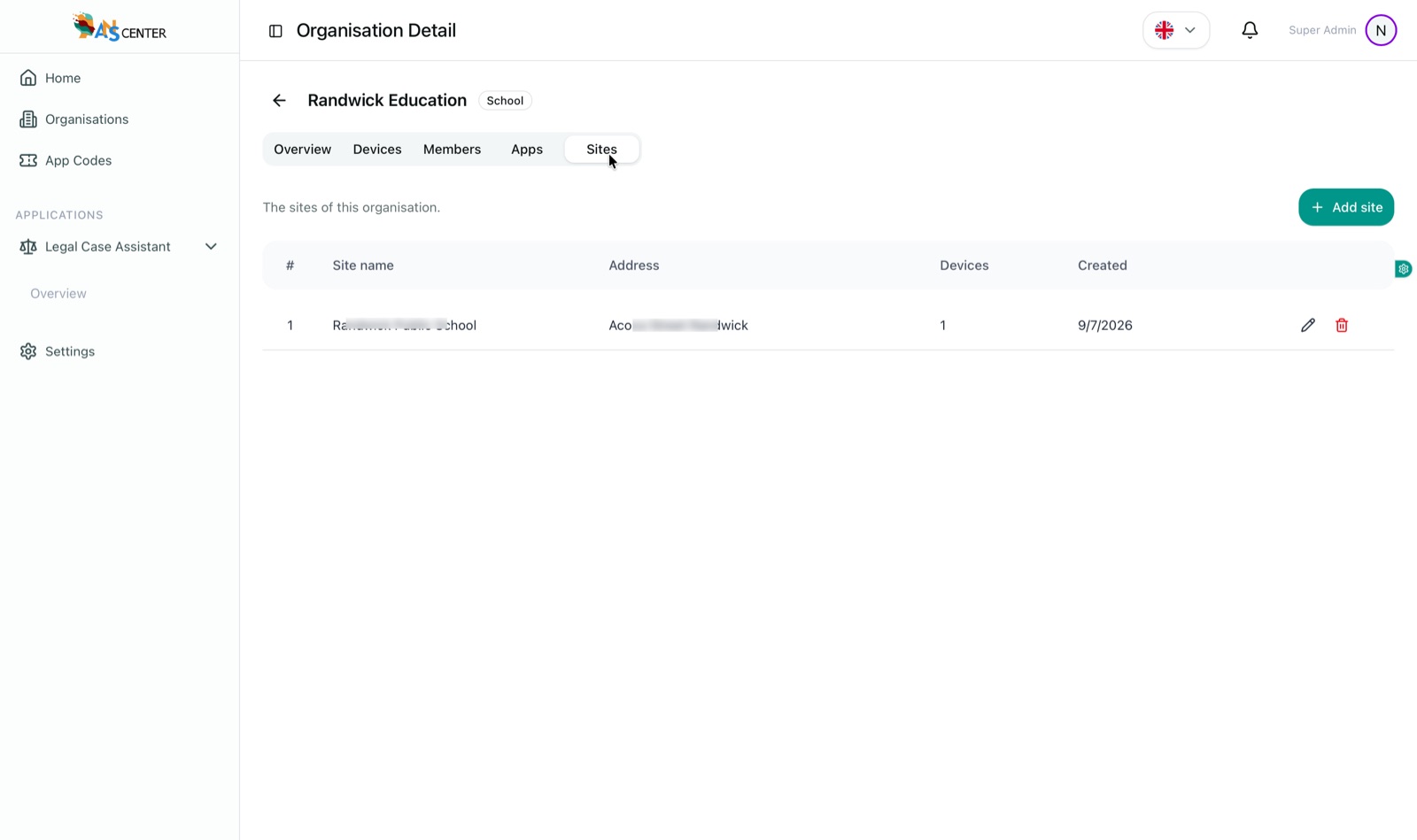
Sites tab of an organisation listing a school site with address, device count and created date
SitesModel every site — each campus or branch with its address and devices, added with one click.
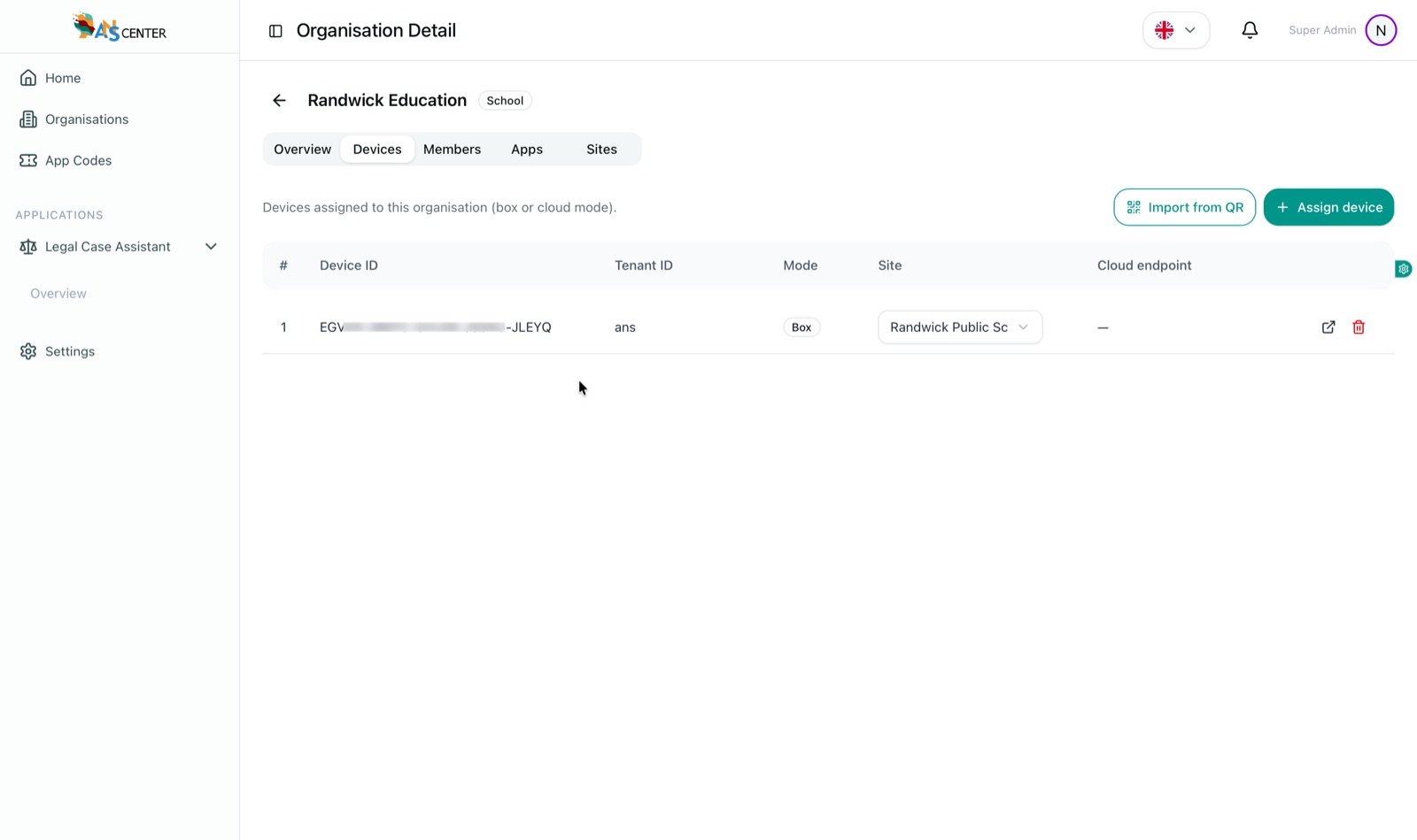
Devices tab showing an ANSBOX assigned to a site in box mode, with import-from-QR and assign-device actions
DevicesAssign ANSBOX / AIBOX — import from QR, choose box or cloud mode, and pin each device to a site.
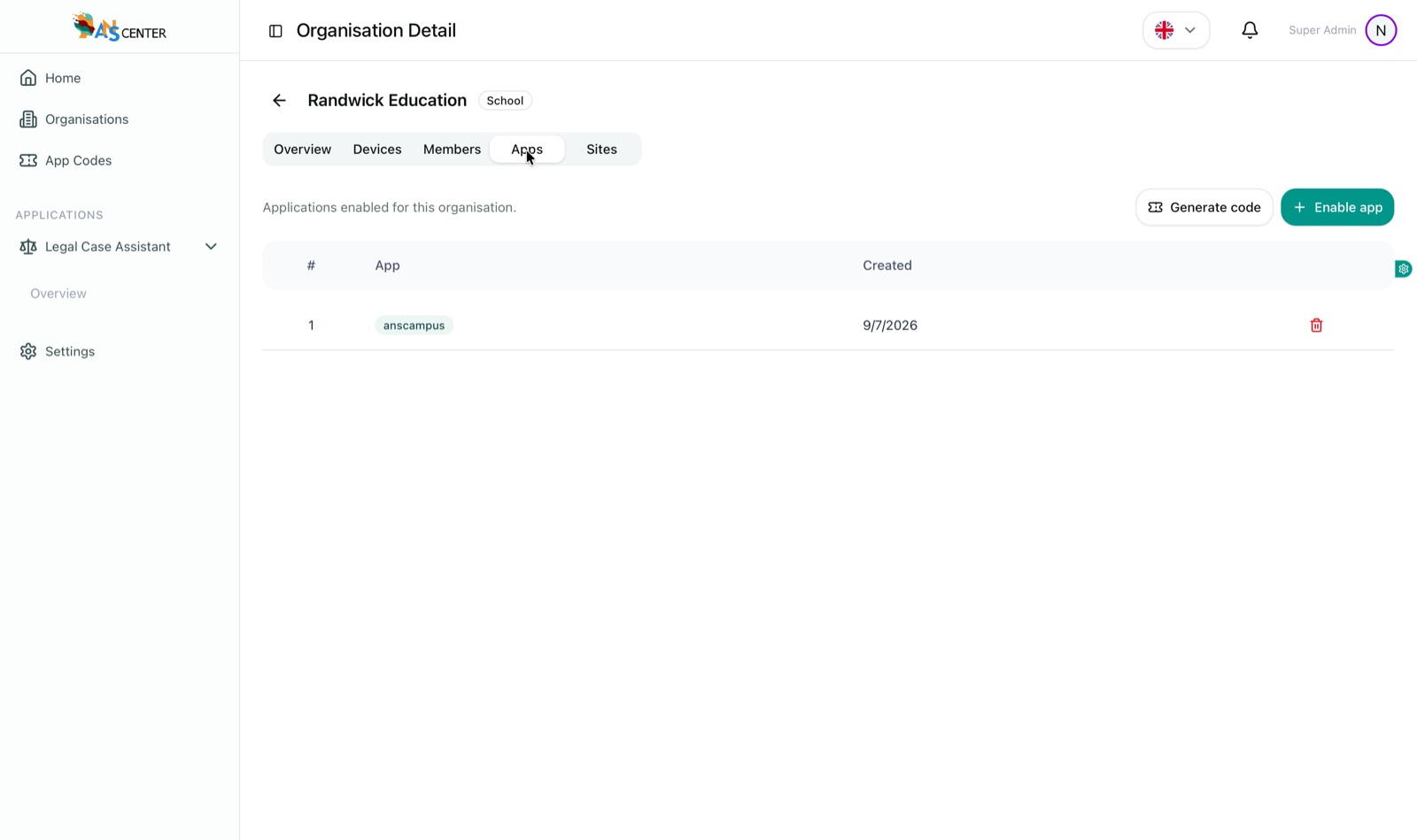
Apps tab showing the anscampus application enabled for the organisation with generate-code and enable-app actions
ApplicationsEnable AI apps — switch on ANSCAMPUS or any other app for the organisation, and generate activation codes.
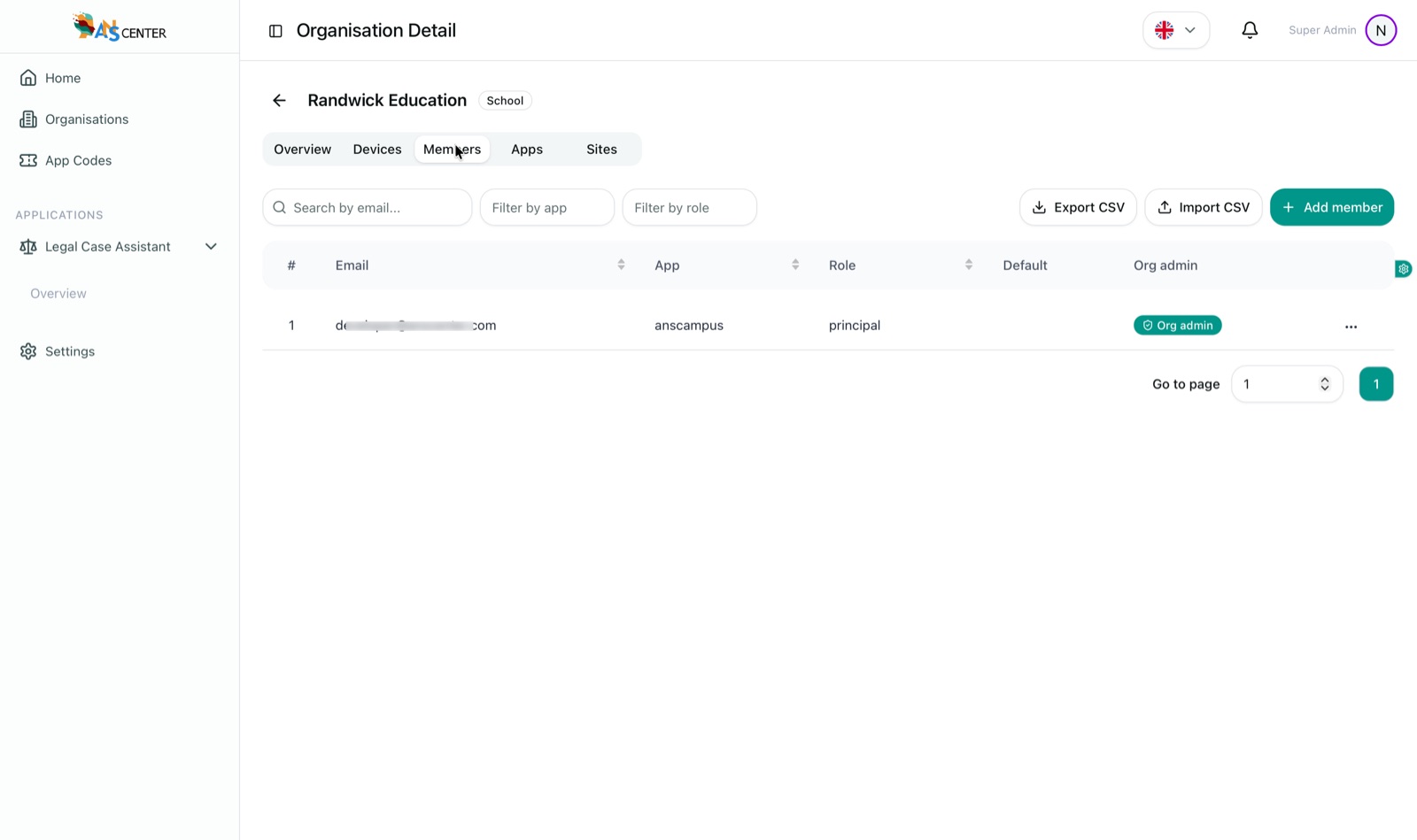
Members tab listing a principal for the anscampus app with an org admin badge, plus CSV import and export
MembersPeople & roles — every member with their app and role, org-admin badges, filters, and CSV import/export for bulk onboarding.

One CMS, any app

Case in point: ANSCAMPUS.

Enable ANSCAMPUS for a school organisation and ANSCMS becomes its campus console — sites become schools, devices watch over them, and every person gets the right view for their role.

Principal

Runs the organisation — schools, devices, staff and reports, all from one login.

Teacher

Sees their school's events, attendance and alerts — nothing they don't need.

Student

Their own attendance and campus notices — assigned the student role in one click.

Parent

Follows their child's check-ins and school alerts, straight from the same platform.
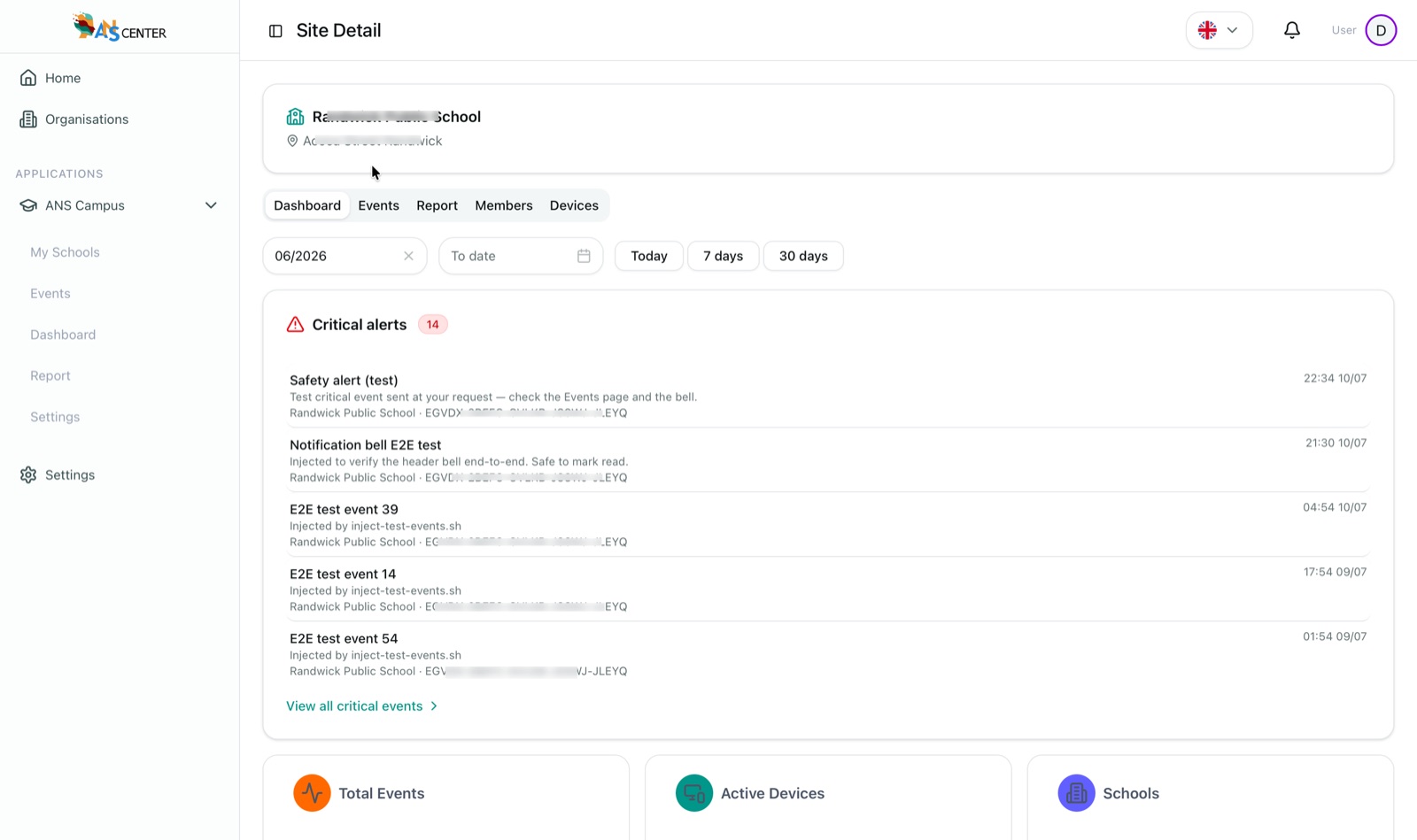
ANSCAMPUS site detail in ANSCMS — a school with critical alerts listed and tabs for dashboard, events, report, members and devices
ANSCAMPUS · site viewA school as a site — critical alerts front and centre, with dashboard, events, report, members and devices per school.
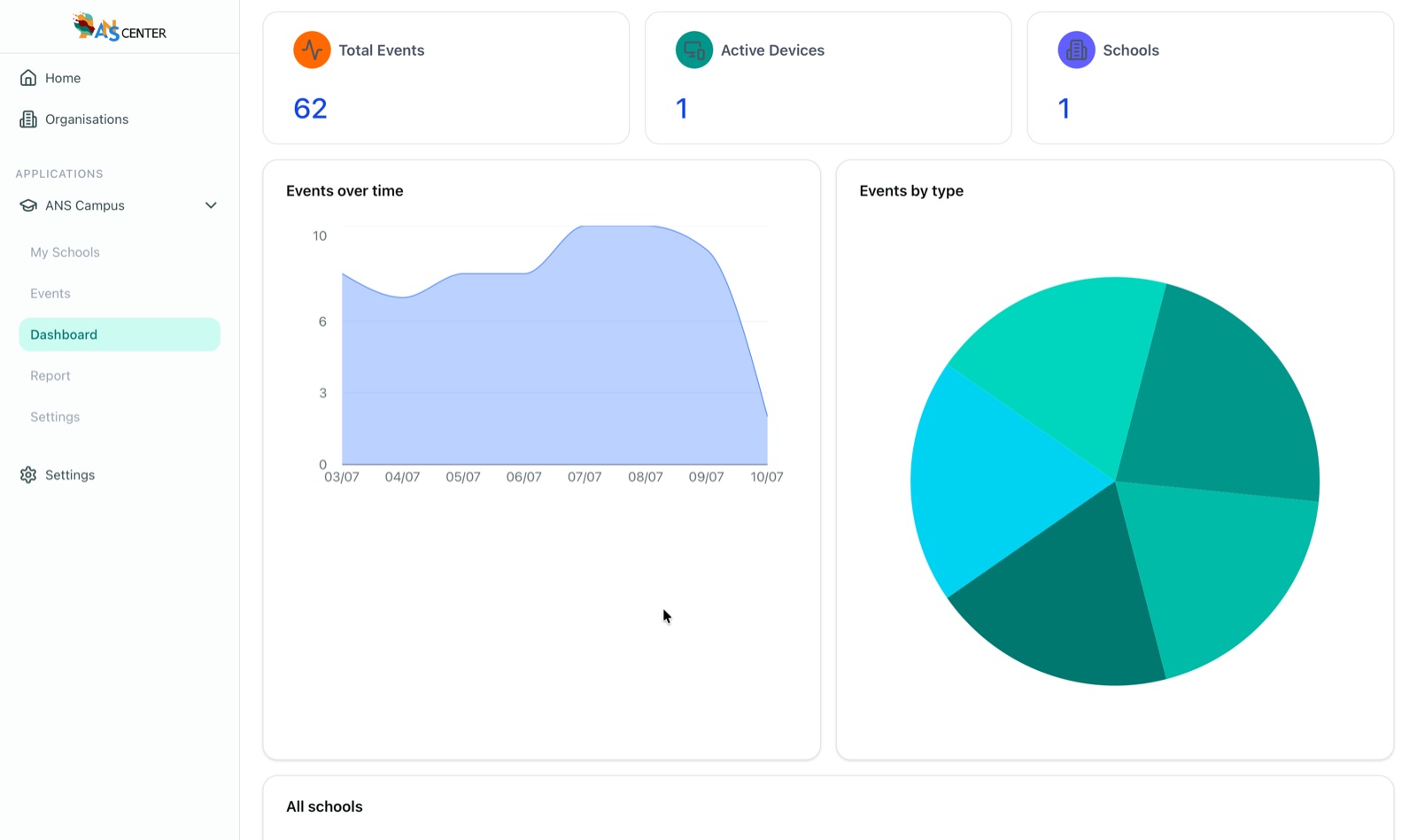
ANSCAMPUS dashboard with total events, active devices and schools, events-over-time chart and events-by-type pie
ANSCAMPUS · dashboardThe campus at a glance — events over time, events by type, active devices and schools.
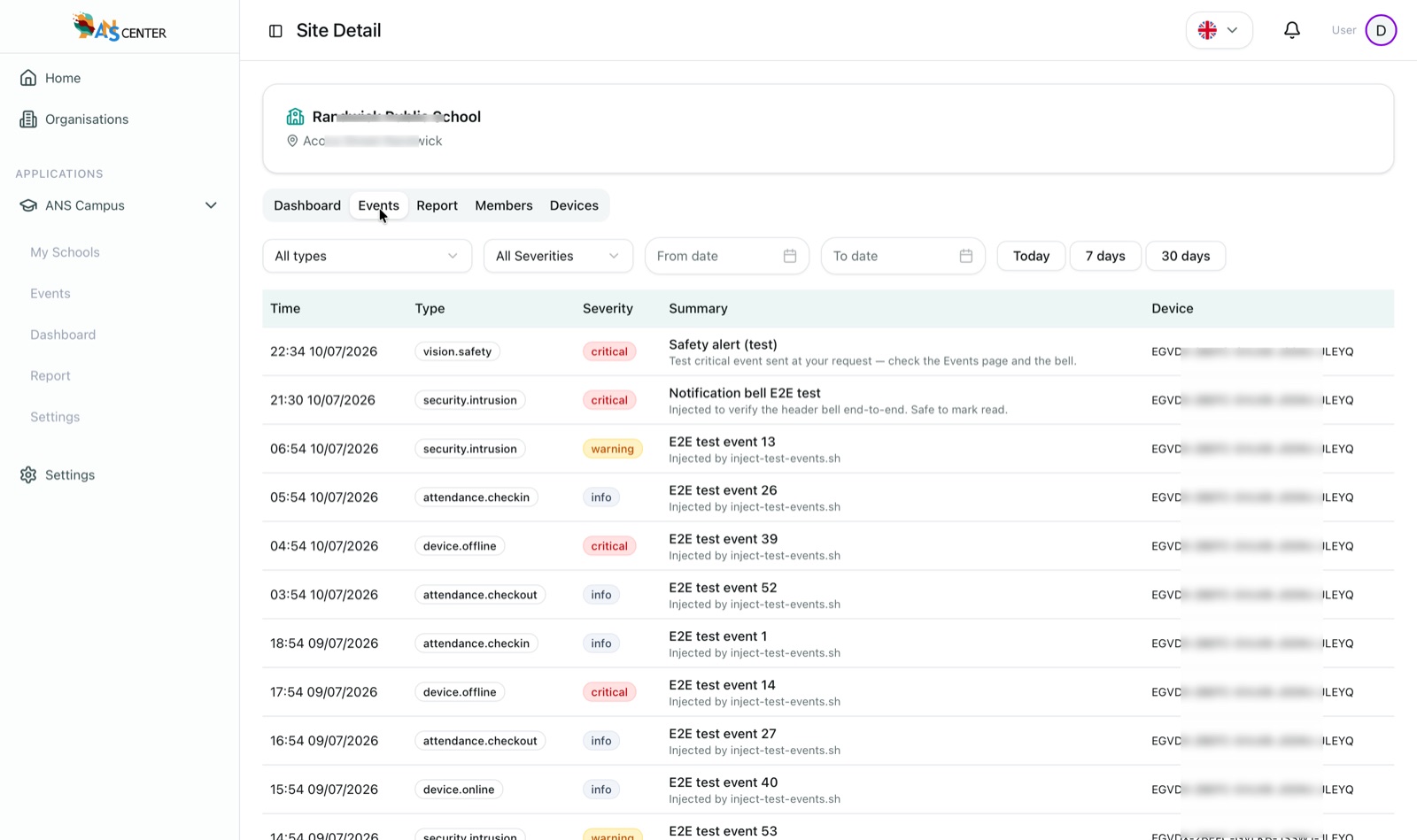
ANSCAMPUS events list with types such as vision.safety, security.intrusion and attendance.checkin, each with severity and device
ANSCAMPUS · eventsEvery event, typed and rated — safety, intrusion, attendance and device events with severity, filters and date ranges.
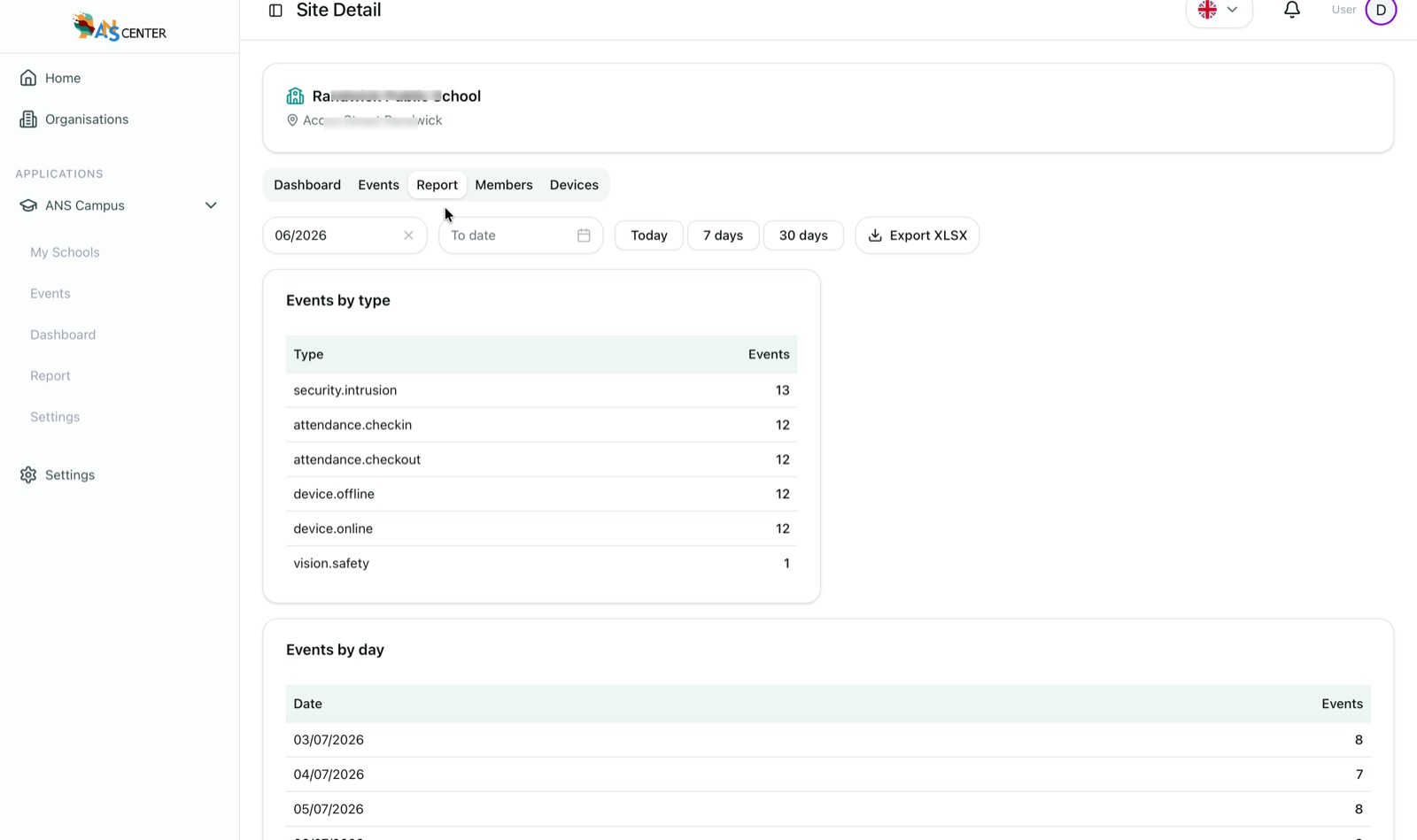
ANSCAMPUS report with events by type and by day tables and an Export XLSX button
ANSCAMPUS · reportsReports ready to share — events by type and by day for any period, exported to XLSX in one click.
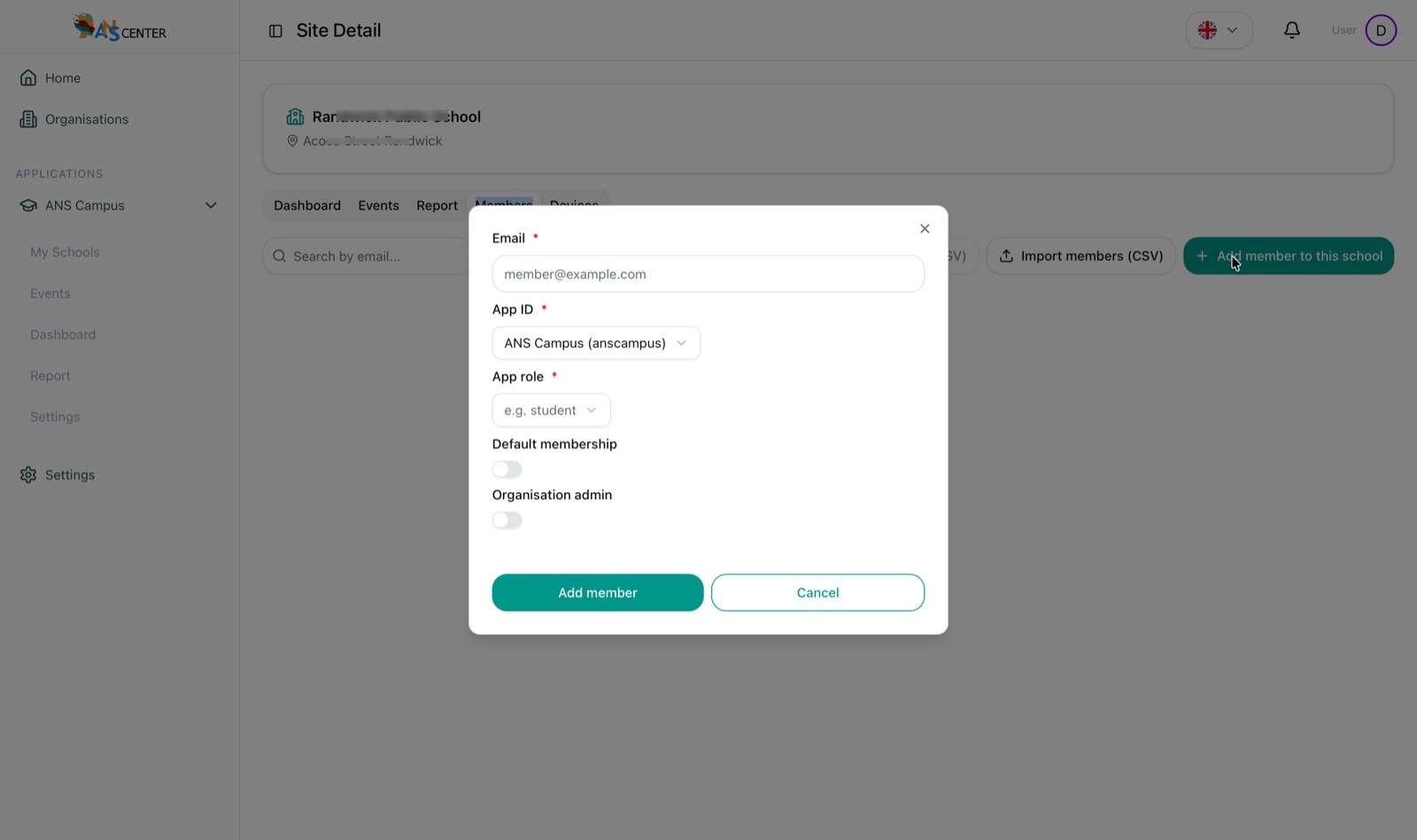
Add member to school dialog — email, app, app role such as student, default membership and organisation admin toggles
ANSCAMPUS · peopleRoles per person — add a member to a school with their app role (student, teacher, parent…) or import a whole class by CSV.

Access that fits the org chart

Each app brings its roles. ANSCMS hands them out.

Applications define what a principal, teacher, student or parent can see — ANSCMS simply assigns the right role to the right person in the right organisation. One platform login, and everyone lands in their own view.

Bring your organisation onto one console.

Tell us about your sites, devices and teams — we'll show ANSCMS managing them live, with the apps that fit your organisation.